
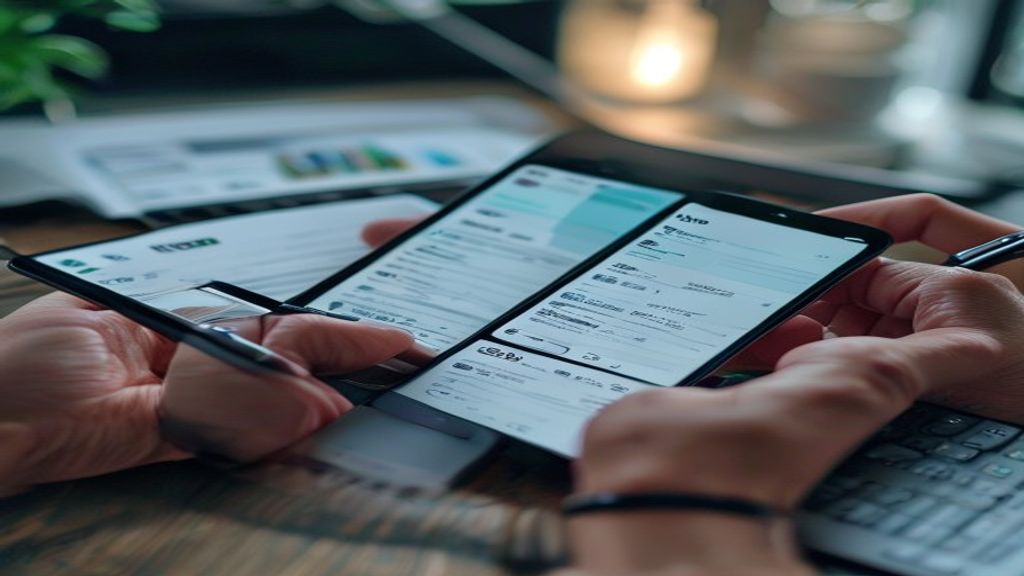
Quick Answer: The best billing software app for Indian SMEs should offer GST invoice compliance, automated payment tracking, and seamless integration with payment gateways like Razorpay. Zoho Invoice and Vyapar are popular options, offering affordable plans starting from ₹0 (free plan) to ₹2,499 per year. To get started, sign up for a free trial on the Zoho Invoice or Vyapar website.
Imagine running a small business with 10 employees, managing 50 clients, and generating 200 invoices every month. Without a robust billing software app, this can quickly become a nightmare. Manually creating invoices, tracking payments, and ensuring GST compliance can consume a significant amount of time, taking away from core business activities. This is where a reliable billing software app comes in, helping you streamline invoicing, reduce errors, and improve cash flow.
Let's take the example of a retail business in India, which needs to generate GST invoices for all sales. In Zoho Invoice, go to Sales > Invoices > New, select your GST rate under the tax field, and the app calculates CGST/SGST automatically. You can also set up automated payment reminders and track payments in real-time. This level of automation and accuracy is crucial for maintaining a healthy financial record and avoiding penalties for non-compliance.
When we set up Zoho Invoice for a retail business client, we saw a significant reduction in invoicing time and an improvement in payment tracking. The client was able to focus on growing their business, rather than getting bogged down in manual invoicing and payment tracking. This experience highlights the importance of choosing the right billing software app for your business.
Why Choosing the Right Billing Software App Matters
The right billing software app can make a significant difference in the efficiency and accuracy of your invoicing and payment tracking processes. Here are some signs that you need a reliable billing software app:
- You spend more than 2 hours a week on invoicing and payment tracking
- You have experienced errors or discrepancies in your invoices or payments
- You need to generate GST invoices for your sales
- You want to automate payment reminders and track payments in real-time
One mistake a lot of Indian SMEs make is not investing in a billing software app that meets their specific needs. This can lead to wasted time, reduced productivity, and increased errors. By choosing a reliable billing software app like Zoho Invoice or Vyapar, you can avoid these pitfalls and focus on growing your business.
How It Actually Works
To implement a billing software app, you need to understand the step-by-step process. Here is a detailed guide to help you get started:
- First, you need to choose a billing software app that suits your business needs. Consider factors such as GST support, UPI/payment integration, recurring invoices/automation, and mobile app availability. For example, Zoho Invoice is a popular choice among small business owners in India, offering features such as automatic GST calculation and UPI payment integration.
- Once you have selected a billing software app, sign up for an account and set up your business profile. This typically involves providing basic business information, such as business name, address, and GST number. In Vyapar, you can set up your business profile by going to Settings > Business Profile and filling in the required details.
- Next, create a new invoice by clicking on the "New Invoice" button. Select the customer, add items or services, and specify the quantities and rates. The billing software app will automatically calculate the total amount, including GST. In Zoho Books, you can create a new invoice by going to Sales > Invoices > New and selecting the customer and items.
- After creating the invoice, you can send it to your customer via email or WhatsApp. Many billing software apps, such as Razorpay, offer integration with popular messaging platforms, making it easy to share invoices with customers.
- Finally, track the payment status of your invoices and follow up with customers who have not made payments. Most billing software apps offer features such as payment reminders and invoice tracking, making it easy to manage your accounts receivable.
Comparison of Billing Software Apps
Here is a comparison of some popular billing software apps in India:
| Tool | Starting Price (INR) | GST Support | UPI/Payment Integration | Recurring Invoices/Automation | Mobile App | Best For |
|---|---|---|---|---|---|---|
| Zoho Invoice | 0 (free plan available) | Yes | Yes | Yes | Yes | Small businesses and freelancers |
| Zoho Books | 2,499/year | Yes | Yes | Yes | Yes | Growing businesses and enterprises |
| Vyapar | 0 (free plan available) | Yes | Yes | No | Yes | Small businesses and sole proprietors |
| Busy | 7,000/year | Yes | No | No | No | Medium-sized businesses and manufacturers |
| TallyPrime | 18,000/year | Yes | No | No | No | Large businesses and enterprises |
Based on our analysis, we recommend Zoho Invoice for small businesses and freelancers, due to its ease of use, affordability, and robust features such as automatic GST calculation and UPI payment integration. For growing businesses and enterprises, Zoho Books is a better choice, offering advanced features such as inventory management and project tracking.
Common Mistakes to Avoid in Choosing a Billing Software App
When selecting a billing software app, many small business owners in India overlook critical features that can lead to compliance issues or inefficiencies. For instance, failing to ensure the app supports GST invoicing can result in penalties and fines. Similarly, not integrating the billing app with payment gateways like Razorpay or UPI can lead to delayed payments and lost business.
Another mistake is not considering the scalability of the billing app. As the business grows, the app should be able to handle increased invoice volumes and user access. Zoho Invoice, for example, offers a scalable solution with its multi-user access and automated invoice tracking.
Additionally, some business owners neglect to evaluate the app's reporting and analytics capabilities. Vyapar, on the other hand, provides detailed reports on sales, expenses, and taxes, making it easier to track business performance. Furthermore, not checking the app's compatibility with existing accounting software, such as TallyPrime or QuickBooks India, can lead to data inconsistencies and errors.
Lastly, some entrepreneurs underestimate the importance of customer support and training. Busy, a popular accounting software in India, offers comprehensive training and support resources to help users get started quickly.
Example Workflow: Streamlining Invoicing for a Consulting Firm
Here's what this looks like in practice for a typical two-person consulting firm in Mumbai: the firm uses Zoho Invoice to create and send GST invoices to clients. The app is integrated with Razorpay for online payments, and the firm tracks invoice status and follows up with clients through automated reminders. The firm also uses the app's reporting features to track sales and expenses, and to file GST returns.
FAQ
Which invoicing software supports GST? Zoho Invoice, Vyapar, and Busy all support GST invoicing and provide automatic calculations for CGST and SGST.
Can I send invoices on WhatsApp? Yes, Zoho Invoice allows you to send invoices directly to clients via WhatsApp, making it easier to share invoices and track payments.
How do I integrate my billing app with UPI? You can integrate your billing app with UPI through payment gateways like Razorpay, which supports UPI payments and provides a seamless payment experience for clients.
What is the best billing software app for freelancers? Zoho Invoice is a popular choice among freelancers due to its ease of use, scalability, and affordability, with pricing starting at ₹240 per month.
Can I use a billing software app for e-invoicing compliance? Yes, Vyapar and Busy both support e-invoicing compliance and provide features to help you generate and manage e-invoices.
How do I choose the right billing software app for my business? Consider factors such as scalability, reporting and analytics, customer support, and compatibility with existing accounting software to choose the right billing app for your business.
What Should You Do?
- If you're a freelancer, start with Zoho Invoice because it's easy to use and affordable, with pricing starting at ₹240 per month.
- If you're a small retailer, use Vyapar because it provides detailed reports on sales and expenses, and supports e-invoicing compliance.
- If you're a growing business, move to Busy because it offers advanced accounting features, scalability, and comprehensive training and support resources.
- If you're already using TallyPrime or QuickBooks India, consider integrating Zoho Invoice or Vyapar to streamline invoicing and payment tracking.
- If you're looking for a billing app with strong customer support, choose Zoho Invoice or Busy, which both offer comprehensive training and support resources.
Advanced Features to Look for in a Billing Software App
When evaluating a billing software app, it's essential to consider advanced features that can streamline your invoicing and payment processes. One such feature is automated payment reminders, which can help reduce late payments and improve cash flow. For instance, Zoho Invoice allows you to set up automatic payment reminders that are sent to clients via email or SMS, reminding them of upcoming payment due dates.
Another advanced feature to look for is multi-currency support, which is crucial for businesses that deal with international clients. This feature enables you to create invoices in different currencies, making it easier to manage foreign transactions. Razorpay, a popular payment gateway in India, offers multi-currency support, allowing you to accept payments in over 100 currencies.
Integration with Other Business Tools
A good billing software app should also integrate seamlessly with other business tools, such as accounting software, CRM systems, and e-commerce platforms. This integration can help automate tasks, reduce errors, and provide a more comprehensive view of your business operations. For example, Zoho Books, a cloud-based accounting software, integrates with Zoho Invoice, allowing you to automatically sync invoices, payments, and expenses.
Security and Compliance
Security and compliance are critical considerations when choosing a billing software app. Look for apps that offer robust security features, such as data encryption, two-factor authentication, and regular backups. Additionally, ensure that the app complies with relevant regulations, such as GST and e-invoice compliance in India. Vyapar, a popular billing software app in India, offers GST compliance and e-invoice generation, making it easier to manage tax-related tasks.
By considering these advanced features, integrations, and security measures, you can find a billing software app that meets your business needs and helps you streamline your invoicing and payment processes. In the next section, we'll explore more questions and answers related to billing software apps.
More Questions Answered
Many small business owners have questions about billing software apps, and we'll address some of these concerns in this section. If you're wondering how to choose the right billing software app for your business, consider factors such as ease of use, features, pricing, and customer support. You can also read reviews and ask for referrals from other business owners to get a better understanding of the app's capabilities.
Another common question is how to migrate from an existing billing system to a new one. To do this, start by exporting your data from the old system and importing it into the new one. You may need to manually map fields or use a data migration tool to ensure a smooth transition. It's also essential to test the new system thoroughly to ensure that it meets your business needs.
In conclusion, choosing the right billing software app is crucial for streamlining your invoicing and payment processes. By considering advanced features, integrations, security measures, and compliance, you can find an app that meets your business needs. Remember to evaluate your options carefully, read reviews, and ask for referrals to ensure that you make an informed decision. With the right billing software app, you can improve your cash flow, reduce errors, and focus on growing your business.
Related Articles
- 2026: 5 Best WhatsApp Automation Tools
- 25 ChatGPT Prompts Every Small Business Owner Should Save in 2026
- The ₹10 Lakh/Month ChatGPT Strategy That Small Businesses Can Copy (2026 Guide)
- How to Automate Customer WhatsApp Chats for Free Using AI (2026 Guide)
- Top 3 Free AI Tools for GST Filing Automation in India (2026)
- How to Make your Business Completely Automated in 2026 ?
- 15 Best AI Tools for Small Businesses in India (2026 Beginner Guide)
- Automate Invoicing: 5 Hours Saved
- Best CRM for Indian SMBs
- Automate GST Compliance
- Automated Invoice App: Save 2 Hours
- Automated Invoice Approval: Save Time
- Automated Invoice Processing
- Best E-Invoice Software in India
- 2026: Best Invoice Software
- 2026 Bill Tools Download
- 2026 Billing Software
- Easiest Invoice Software


0 Comments