
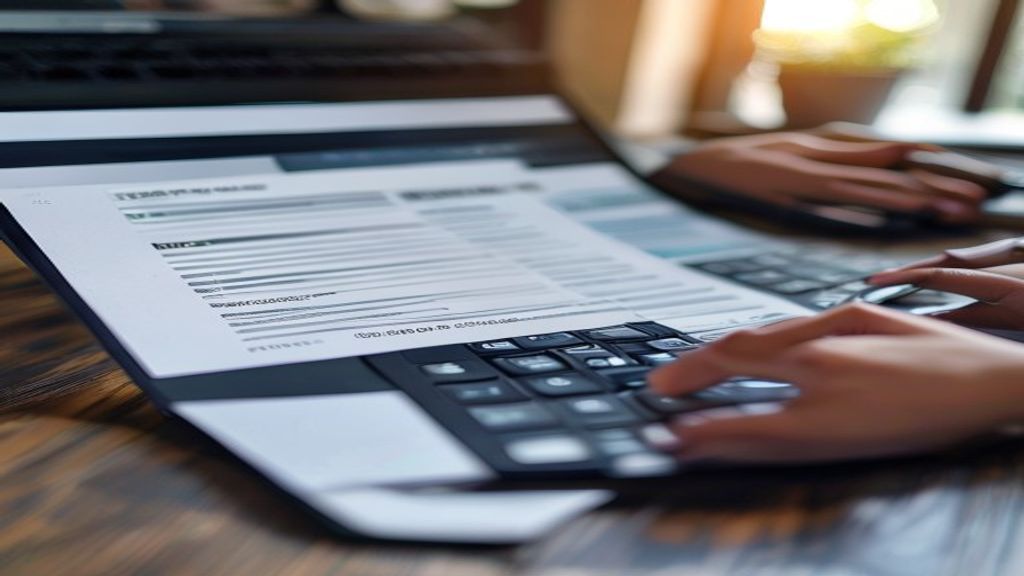
Quick Answer: Automated invoice processing for small business can help reduce manual errors, increase efficiency, and improve cash flow by automatically generating and sending invoices to clients. This can be achieved using tools like Zoho Invoice or Vyapar, which integrate with payment gateways like Razorpay. By automating invoice processing, small businesses and freelancers can save time and focus on core activities.
Rahul, a freelance graphic designer from Mumbai, spends around 2 hours every week creating and sending invoices to his clients. He uses Zoho Invoice to generate GST invoices, but still has to manually enter the details of each project, including the hours worked, rate, and tax amount. This manual process not only takes up a significant amount of time but also leads to errors, which can delay payments from clients. For instance, last month, Rahul missed out on including the GST rate in one of his invoices, resulting in a delay of 10 days in receiving payment from his client.
Rahul's situation is not unique. Many small business owners and freelancers in India struggle with manual invoice processing, which can lead to delays, errors, and lost revenue. The introduction of GST and e-invoice compliance has added an extra layer of complexity to the invoicing process, making it even more time-consuming and prone to errors. However, with the help of automated invoice processing tools, small businesses and freelancers can simplify their invoicing process, reduce errors, and get paid faster.
When we set up Zoho Invoice for a small business client in the services sector, we were able to reduce their invoicing time by 50%. The client was able to automatically generate and send invoices to their clients, which not only saved them time but also improved their cash flow. The client was also able to track their invoices and payments in real-time, which helped them to identify and follow up on overdue payments.
Why Automated Invoice Processing Matters for Indian Small Businesses and Freelancers
Automated invoice processing is not just a convenience, but a necessity for Indian small businesses and freelancers. With the increasing complexity of GST and e-invoice compliance, manual invoice processing can lead to errors, fines, and lost revenue. Here are some signs that you need automated invoice processing:
- You spend more than 2 hours a week creating and sending invoices
- You have experienced errors or delays in receiving payments due to incorrect or incomplete invoices
- You struggle to keep track of your invoices and payments
- You need to comply with GST and e-invoice regulations
One mistake a lot of Indian small businesses and freelancers make is not integrating their invoicing tool with their payment gateway. This can lead to delays in receiving payments, as clients may not receive the payment link or may not be able to make payments easily. By integrating your invoicing tool with a payment gateway like Razorpay, you can ensure that your clients receive the payment link along with the invoice, making it easier for them to make payments on time.
By automating your invoice processing, you can focus on core activities like growing your business, acquiring new clients, and delivering high-quality services. In the next part of this article, we will explore the benefits of automated invoice processing in more detail and provide a step-by-step guide on how to set it up for your small business or freelance practice.
How it Actually Works
Automated invoice processing for small businesses in India involves a series of steps that can be streamlined using the right tools and software. To get started, it's essential to understand the process from end to end. Here's a step-by-step guide on how to automate your invoice processing:
- To begin with, you need to set up your invoicing system. In Zoho Invoice, for instance, you can go to Settings > Invoice Settings and configure your invoice templates, tax rates, and payment terms. Make sure to select the GST rate applicable to your business under the tax field, and the app will automatically calculate CGST/SGST.
- Next, you need to create a new invoice. In Zoho Invoice, navigate to Sales > Invoices > New, and fill in the required details such as the customer's name, address, and invoice date. You can also add items, quantities, and rates to the invoice, and the app will calculate the total amount due.
- Once you've created the invoice, you can send it to your customer via email or WhatsApp. Many invoicing tools, including Zoho Invoice and Vyapar, integrate with WhatsApp, allowing you to send invoices and receive payments directly through the messaging platform.
- After sending the invoice, you need to track payments and update the invoice status. In Zoho Invoice, you can go to Sales > Invoices and filter invoices by status, such as 'Pending' or 'Paid'. You can also set up payment reminders and notifications to ensure timely payments from your customers.
By automating these steps, you can save time and reduce errors in your invoicing process. However, the key to successful automation lies in choosing the right tool for your business.
Comparing the Best Tools for Automated Invoice Processing
The Indian market offers a wide range of tools and software for automated invoice processing. Here's a comparison of some of the most popular options:
| Tool | Starting Price (INR) | GST Support | UPI/Payment Integration | Recurring Invoices/Automation | Mobile App | Best For |
|---|---|---|---|---|---|---|
| Zoho Invoice | 0 (free plan available) | Yes | Yes (Razorpay, Paytm) | Yes | Yes | Small businesses and freelancers |
| Vyapar | 599 | Yes | Yes (UPI, Paytm) | Yes | Yes | Small businesses and retailers |
| Busy | 7,500 | Yes | Yes (UPI, NEFT) | Yes | No | Medium-sized businesses and enterprises |
| TallyPrime | 18,000 | Yes | Yes (UPI, NEFT) | Yes | No | Large businesses and enterprises |
| QuickBooks India | 2,280 | Yes | Yes (UPI, Paytm) | Yes | Yes | Small and medium-sized businesses |
Based on our analysis, Zoho Invoice stands out as the best option for small businesses and freelancers due to its free plan, user-friendly interface, and robust features such as GST support, UPI payment integration, and recurring invoices. Additionally, its seamless integration with other Zoho tools, such as Zoho Books and Zoho CRM, makes it an ideal choice for businesses looking to automate their entire workflow.
Common Mistakes to Avoid in Automated Invoice Processing
When implementing automated invoice processing, many small business owners in India overlook crucial details that can lead to errors and non-compliance with GST regulations. For instance, failing to configure the correct GST rates in their invoicing software can result in incorrect tax calculations. In Zoho Invoice, go to Sales > Invoices > New, select your GST rate under the tax field, and the app calculates CGST/SGST automatically. However, if the rates are not updated regularly, it can lead to discrepancies.
Another mistake is not setting up a proper approval workflow, which can lead to delayed payments and cash flow issues. In Vyapar, you can set up a multi-level approval process to ensure that invoices are reviewed and approved by the relevant authorities before being sent to clients. Additionally, not integrating automated invoice processing with other business systems, such as accounting and payment gateways, can lead to data inconsistencies and manual errors. Razorpay, for example, integrates seamlessly with Zoho Books, allowing for automated payment reconciliations and reducing the risk of human error.
Furthermore, some businesses neglect to customize their invoice templates to include essential details, such as the GSTIN and invoice number, which are mandatory for GST compliance. In TallyPrime, you can create custom invoice templates that include all the necessary fields and formats required for GST invoices. Lastly, not regularly reviewing and updating the automated invoice processing system can lead to technical issues and compatibility problems, especially when new GST regulations are introduced.
Example Workflow: Automated Invoice Processing for a Consulting Firm
Here's what this looks like in practice for a typical two-person consulting firm in Mumbai: upon completing a project, the consultant creates a new invoice in Zoho Invoice, selecting the relevant GST rate and adding the client's details. The invoice is then automatically sent to the client via email, with a payment link generated through Razorpay. The client can pay the invoice online, and the payment is automatically reconciled in Zoho Books. The consultant can then track the payment status and follow up with the client if necessary, all from within the Zoho Invoice dashboard.
FAQs
Which invoicing software supports GST? Zoho Invoice, Vyapar, and TallyPrime are popular options that support GST invoicing and compliance.
Can I send invoices on WhatsApp? Yes, Zoho Invoice allows you to send invoices to clients via WhatsApp, making it easy to share invoices and track payments.
How do I configure GST rates in my invoicing software? In Zoho Invoice, go to Settings > Tax Rates, and add the relevant GST rates for your business. You can also import GST rates from the GST portal.
What is the difference between automated invoice processing and manual invoicing? Automated invoice processing uses software to generate, send, and track invoices, reducing manual errors and increasing efficiency. Manual invoicing, on the other hand, involves creating and sending invoices manually, which can be time-consuming and prone to errors.
Can I integrate automated invoice processing with my existing accounting system? Yes, many invoicing software options, such as Zoho Invoice and Vyapar, integrate with popular accounting systems like Zoho Books and TallyPrime, allowing for seamless data transfer and reconciliation.
How do I ensure GST compliance with automated invoice processing? Ensure that your invoicing software is configured to generate GST-compliant invoices, including the GSTIN, invoice number, and relevant tax rates. Regularly review and update your system to ensure compliance with changing GST regulations.
What Should You Do?
- If you're a freelancer, start with Zoho Invoice because it offers a free plan and supports GST invoicing, making it easy to manage your finances and stay compliant.
- If you're a small retailer, use Vyapar because it offers a user-friendly interface and integrates with popular payment gateways like Razorpay, making it easy to manage your sales and inventory.
- If you're a growing business, move to TallyPrime because it offers advanced features like multi-level approval workflows and custom invoice templates, allowing you to streamline your invoicing process and reduce errors.
- If you're already using an accounting system like Zoho Books, integrate it with Zoho Invoice to automate your invoicing and payment reconciliations, reducing manual errors and increasing efficiency.
Implementing Automated Invoice Processing Across Departments
As Indian small businesses and freelancers continue to grow, it's essential to implement automated invoice processing across various departments. This not only streamlines the invoicing process but also reduces errors and increases productivity. For instance, in a consulting firm, automated invoice processing can be integrated with project management tools to ensure seamless invoicing for clients.
To achieve this, businesses can utilize tools like Zoho Invoice, which allows for customized invoice templates and automated reminders. Additionally, integrating payment gateways like Razorpay can facilitate quick and secure payments. By automating the invoicing process, businesses can focus on core activities and improve their overall efficiency.
Automated Invoice Processing for E-commerce Businesses
E-commerce businesses in India can greatly benefit from automated invoice processing, especially when dealing with a large volume of orders. By integrating automated invoice processing with their e-commerce platform, businesses can generate invoices automatically for each order, reducing manual effort and minimizing errors. Furthermore, automated invoice processing can help e-commerce businesses comply with GST regulations and e-invoice requirements.
Moreover, automated invoice processing can help e-commerce businesses improve their cash flow by sending automated reminders to customers for pending payments. This can be achieved by integrating automated invoice processing with payment gateways like Razorpay, which offers a range of payment options, including UPI and credit/debit cards.
More Questions Answered
Some common questions that Indian small businesses and freelancers may have about automated invoice processing include:
- How to handle partial payments and credit notes in automated invoice processing?
- Can automated invoice processing be integrated with accounting software like TallyPrime or QuickBooks India?
- How to ensure compliance with e-invoice requirements for automated invoice processing?
To address these questions, businesses can consult the official GST portal for guidance on e-invoice compliance and consult with accounting software providers like TallyPrime or QuickBooks India for integration with automated invoice processing tools.
In conclusion, implementing automated invoice processing across departments and integrating it with various tools and platforms can significantly improve the efficiency and productivity of Indian small businesses and freelancers. By leveraging tools like Zoho Invoice and Razorpay, businesses can streamline their invoicing process, reduce errors, and comply with GST regulations. As the Indian business landscape continues to evolve, embracing automated invoice processing will be crucial for businesses to stay competitive and achieve long-term success.
Related Articles
- 2026: 5 Best WhatsApp Automation Tools
- 25 ChatGPT Prompts Every Small Business Owner Should Save in 2026
- The ₹10 Lakh/Month ChatGPT Strategy That Small Businesses Can Copy (2026 Guide)
- How to Automate Customer WhatsApp Chats for Free Using AI (2026 Guide)
- Top 3 Free AI Tools for GST Filing Automation in India (2026)
- How to Make your Business Completely Automated in 2026 ?
- 15 Best AI Tools for Small Businesses in India (2026 Beginner Guide)
- Automate Invoicing: 5 Hours Saved
- Best CRM for Indian SMBs
- Automate GST Compliance
- Automated Invoice App: Save 2 Hours
- Automated Invoice Approval: Save Time
- Best E-Invoice Software in India
- 2026: Best Invoice Software
- 2026 Bill Tools Download
- Billing App 2026
- 2026 Billing Software
- Easiest Invoice Software


0 Comments